




Price: $29.99 - $23.99
(as of Nov 30, 2025 04:28:03 UTC – Details)
Product description


SC620 Wireless Gaming Mouse: Precious, Fast and Durable.
1 Why SC620? 2 DPI & Polling Rate 3 Ergonomic & Comfort 4 Functional Buttons


1 RGB Lighting
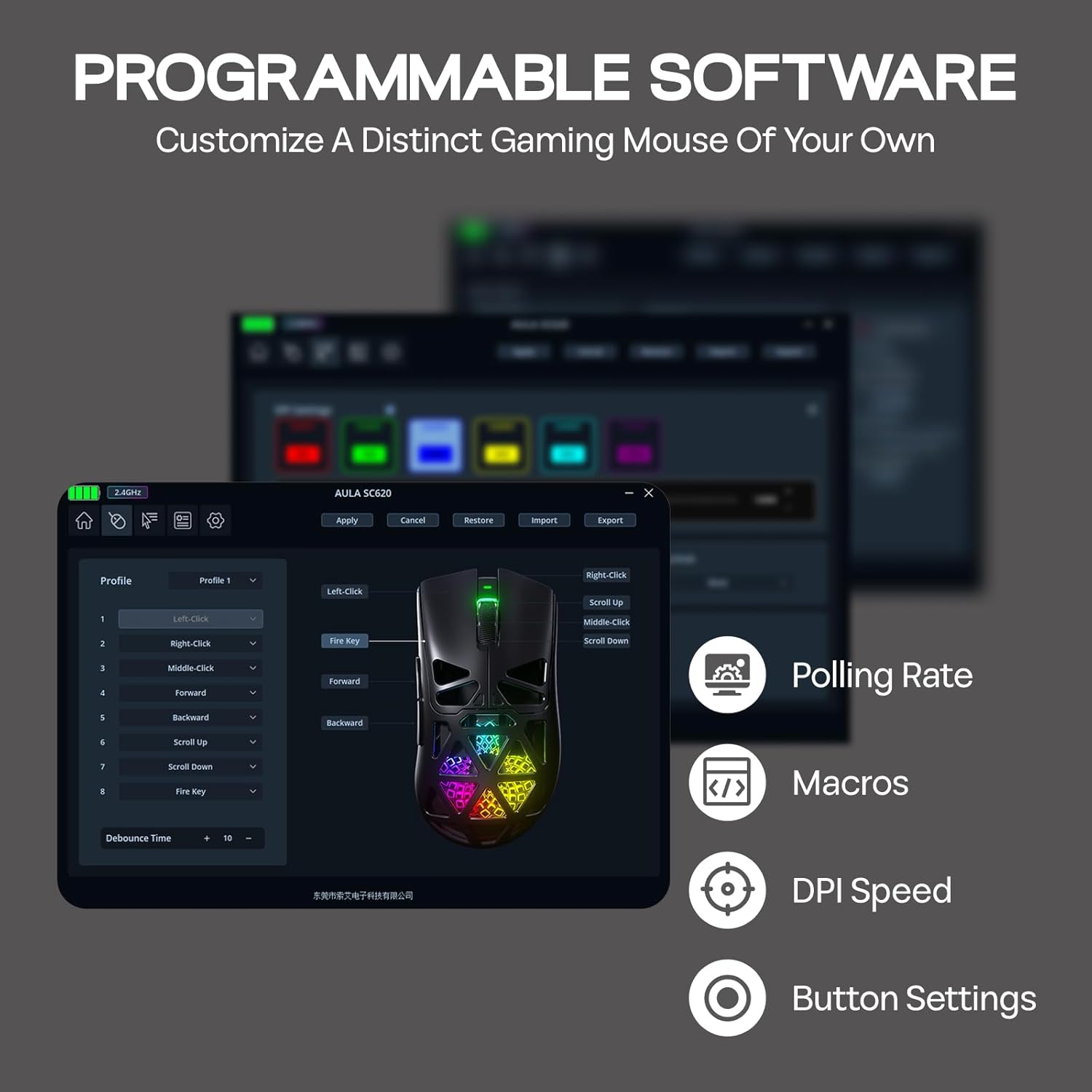
2 Programable Driver
3 Honeycomb Shell
Connections & Dimensions BT5.3/2.4GHz/USB-C, Windows/Mac OS 3 Connections Ways + Wide Compatibility
How to connect the mouse in 2.4GHz wireless mode? (The receiver is paired with the mouse already)If the mouse can’t work when plugged into the receiver, how can I connect it?
Toggle the mouse switch to 2.4GPress the left button, right button, and Middle key for 3 seconds. Then, plug the receiver into your device. The mode indicator flashes quickly. Insert the receiver, and the indicator turns off once paired successfully.  Lightweight & Portable Mouse
Measuring 122*64*40mm and weighing 67g, the SC620 mice boasts a refined design that provides a comfortable grip, ensuring ease of movement and making it a suitable choice for on-the-go professionals.

More User-Friendly Details  2.4G Receiver Slot
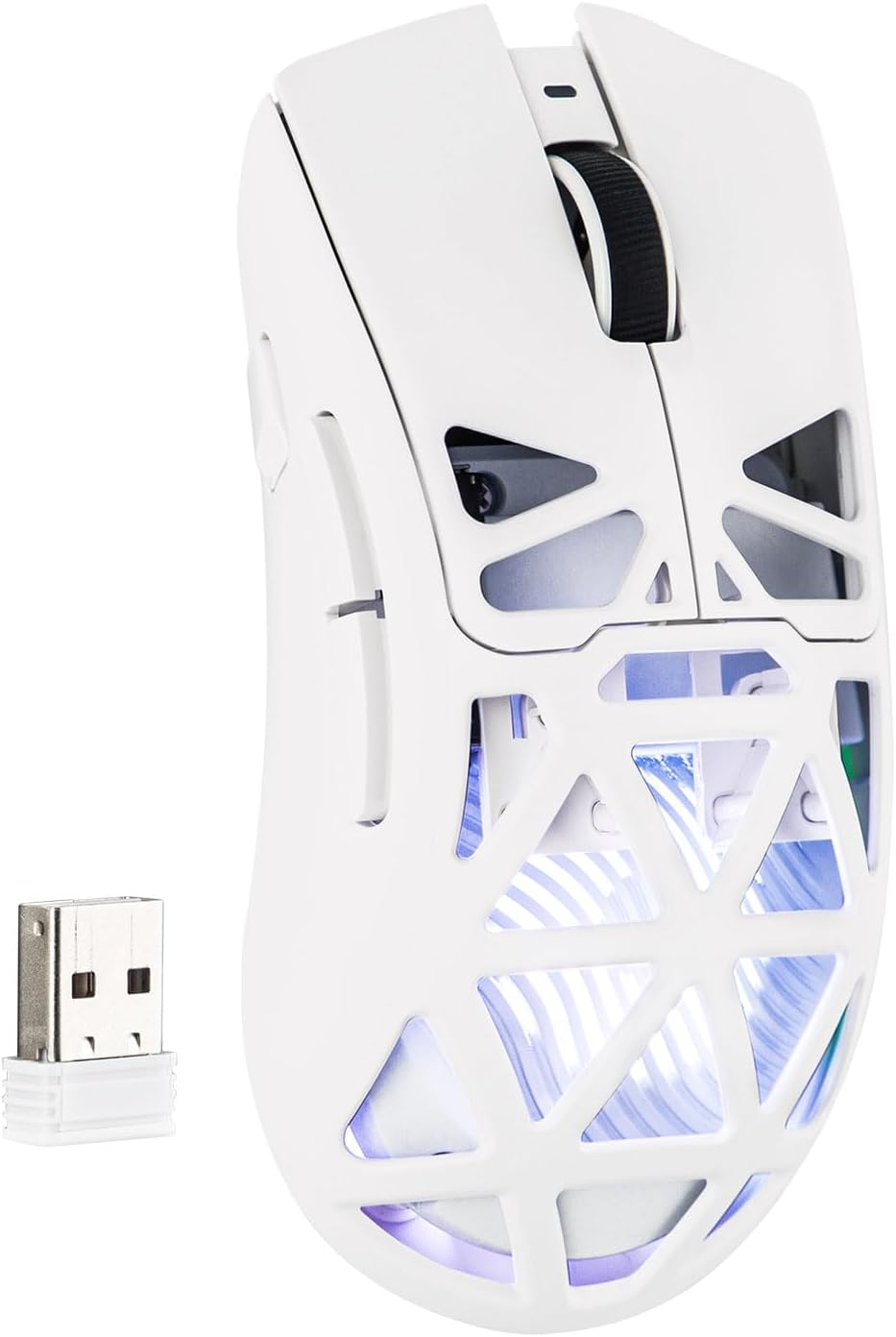
Easy to store the 2.4G receiver on the back of the mouse. Avoid the problem of loss.
 Type-C Port
When a Type-C cable is connected, it automatically switches to wired mode and starts charging the mouse.
 400mAh Battery
During charging, the front charging indicator stays red; turns green when fully charged.
 Packing List
SC620 Mouse*1Braided USB-C Cable*12.4GHz Receiver*1User Manual*1
What are the polling rate of this wireless mouse?
2.4GHz Wireless & USB Wired mode: 125Hz/250Hz/500Hz/1000Hz
BT5.3 Wireless mode: 125Hz
What is the battery capacity of the SC620 mouse?
The battery capacity is 400mAh.
Can the DPI values corresponding to each indicator light color be adjusted?
Yes, you can customize the DPI value corresponding to each color.
How to swtich the polling rate rapidly?
Press and hold the Right Buton + Middle Button for 5 seconds to switch polling rate. (Note: There is no indicator light to show the switching status except for the driver software)
What sensor does this mouse use?
PAW3311
Gaming Mouse from MechLands
Add to Cart
Add to Cart
Add to Cart
Add to Cart
Customer Reviews
4.0 out of 5 stars 1
4.5 out of 5 stars 59
4.0 out of 5 stars 10
4.0 out of 5 stars 35
4.3 out of 5 stars 23
Price
$29.99$29.99
$21.89$21.89
$32.99$32.99
$34.99$34.99
$22.49$22.49
Honeycomb shell?
✔
✘
✘
✘
✘
RGB Lighting?
✔
✔
✘
✘
✘
Sensor
PAW3311
PAW3311
PAW3311
PAW3395
PAW3311
DPI
800-12,000
400-12,000
400-12,000
400-26,000
800-10,000
Connections
BT5.3/2.4G/USB-C
BT5.0/2.4G/USB-C
BT5.0/2.4G/USB-C
2.4G/USB-C
BT5.0/2.4G/USB-C
Battery
400mAh
500mAh
500mAh
250mAh
500mAh
Dimension
122*64*40mm
125.3*63.3*38.1mm
118.6*62.2*39.6mm
116.5*61.5*38.7mm
119*62*38mm
Weight
67g
66g
58g
37g
82g
【Honeycomb Lightweight Design for Breathable Comfort】 Weighing only about 67g, the SC620 gaming mouse’s advanced honeycomb shell reduces weight while maintaining structural strength. The open design improves airflow to keep your hand cool and dry during long sessions, reducing sweat and fatigue. Combined with an ergonomic shape that fits naturally in your palm, this mouse offers superior comfort and control for extended use. The SC620 brings a featherlight feel for uninterrupted performance.
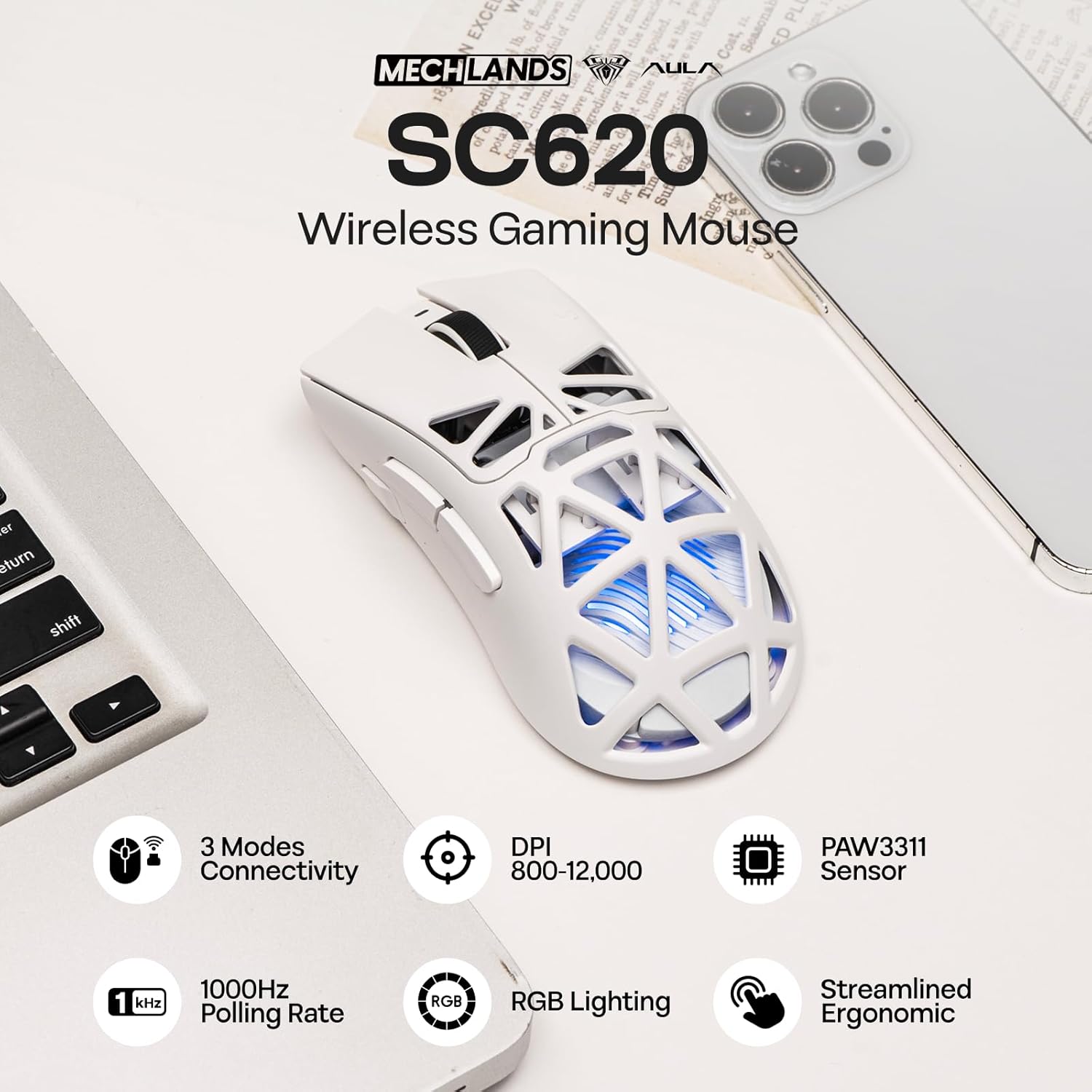
【3 Modes Connectivity for Versatile Use】 Supporting triple-mode connectivity, the SC620 mice allow seamless switching between Bluetooth, 2.4GHz wireless, and USB-C wired connections. This versatility ensures a stable link in any environment, whether at a desk or on the move. It effortlessly bridges the gap between lag-free wired performance and cord-free convenience, adapting to a wide range of user needs without compromising stability. Enjoy stable, low-latency performance in any mode.
【Adjustable 12,000 DPI & High Precision PAW3311 Sensor】 Equipped with the advanced PAW3311 optical sensor, the SC620 wireless mouse delivers exceptional accuracy and smooth tracking. Adjust DPI across six preset levels (up to 12,000 DPI) with a dedicated button, and benefit from a 1,000Hz polling rate for ultra-responsive cursor movement. Whether for detailed creative work or high-speed gaming, the SC620 keeps key settings accessible and easy to manage, giving you a strategic edge.
【Dynamic RGB Lighting with Customizable Effects】 Enhance your desktop atmosphere with dynamic RGB lighting that shines through the honeycomb shell. Quickly cycle through multiple effects by simply pressing the Forward + Middle Buttons—no software needed. Whether for gaming or workspace setup, the SC620 mouse adds a vibrant glow that transforms your desk into an immersive and stylish environment. This seamless hybrid control lets you match your style in seconds, adding immersive flair to every session.
【Exclusive Fire Button for Instant Actions】 Go beyond standard customization with a dedicated Fire Button alongside 6 other programmable buttons. Assign your most critical command—like rapid-fire in games or a shortcut in apps—to the Fire Button for one-touch execution. The additional 6 buttons can be configured separately for macros, keystrokes, or system functions via software. This dual-layer programmability offers ultimate flexibility, giving you faster response times in competitive scenarios.
![[20Packs] KF-94 – Face Protective Mask for Adult (White) [Made in Korea] [20 Individually Packaged] KN FLAX Premium KF-94 Certified Face Safety White Dust Mask for Adult [English Packing]](https://m.media-amazon.com/images/I/71n8BM3OU6L._AC_SL1500_.jpg "[20Packs] KF-94 – Face Protective Mask for Adult (White) [Made in Korea] [20 Individually Packaged] KN FLAX Premium KF-94 Certified Face Safety White Dust Mask for Adult [English Packing]")
![[Pack of 100] Single Use Disposable Face Mask, Effective Filtration, Bulk Pack 3-Ply Masks Facial Cover with Elastic Earloops For Home, Office, School, and Outdoors](https://m.media-amazon.com/images/I/71py2wdSEtL._SL1489_.jpg "[Pack of 100] Single Use Disposable Face Mask, Effective Filtration, Bulk Pack 3-Ply Masks Facial Cover with Elastic Earloops For Home, Office, School, and Outdoors")


Reviews
Clear filtersThere are no reviews yet.